Mbrew · User guide
Scale ingredient quantities to your next batch size
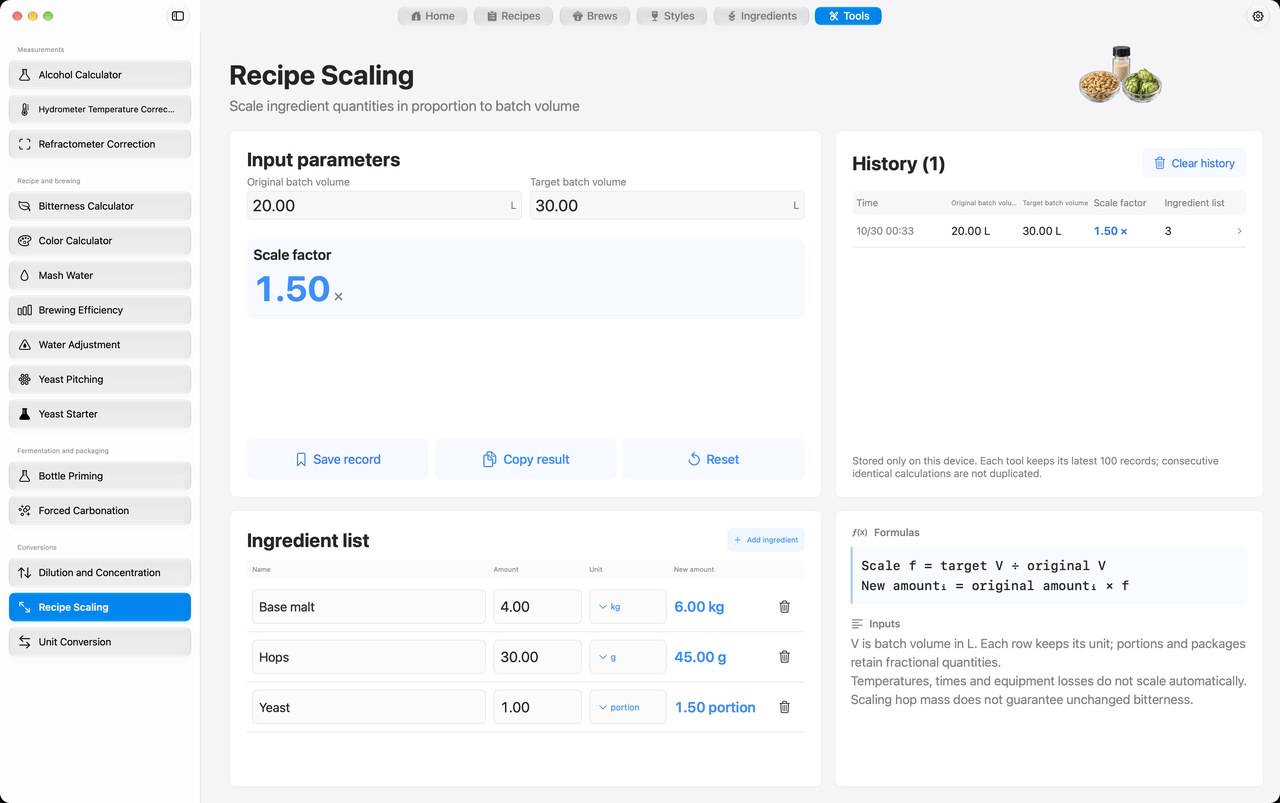
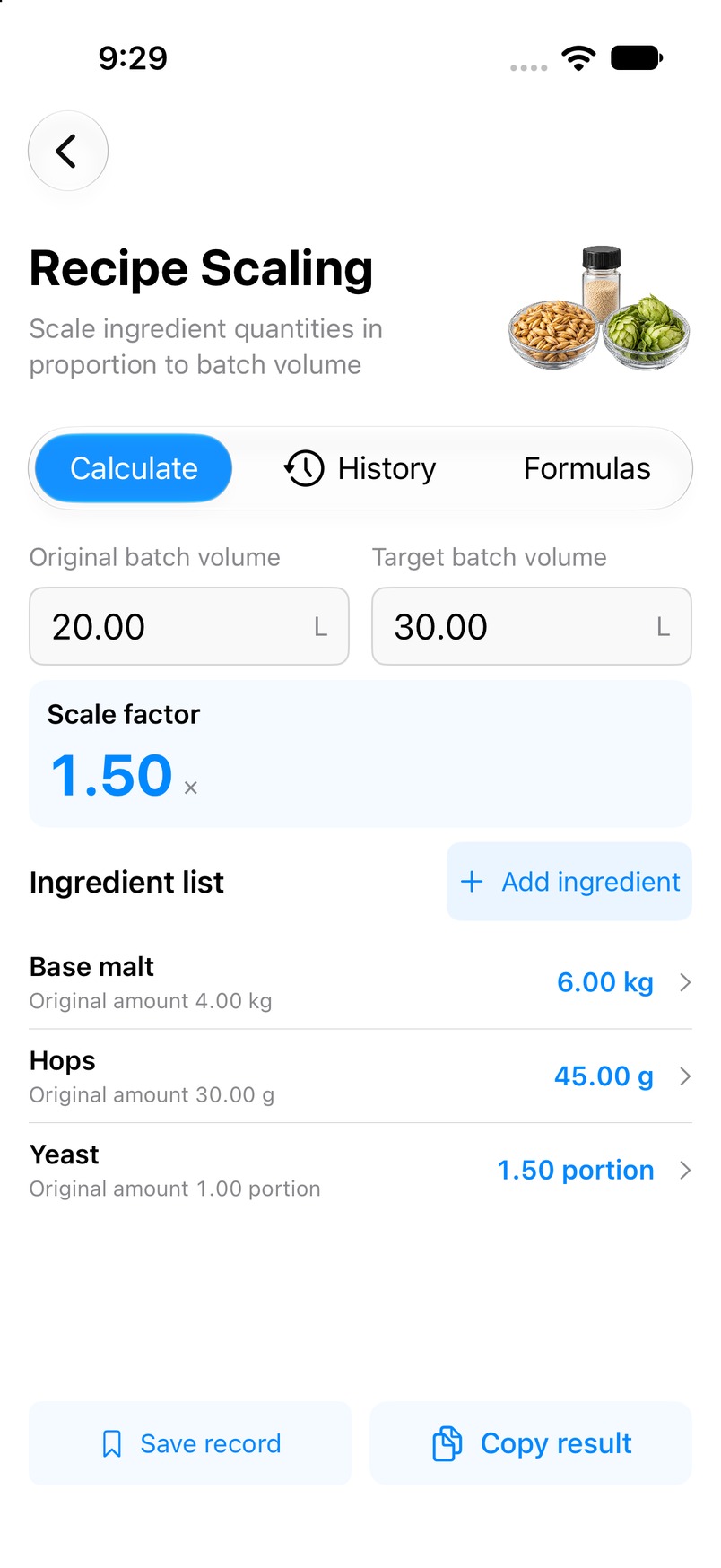
Adapt an ingredient list to the amount of beer you plan to brew. Enter the original and target batch volumes, add ingredient quantities, and compare each original amount with its scaled amount.
macOS · iOS · iPadOS — Mac preview; iPhone and iPad in beta.
This page explains a tool in the Mbrew app. Perform the calculation in Mbrew; this website does not run the calculator.
App availabilityWhat you enter
Original batch volume, target batch volume, and ingredient rows with a name, amount and unit.
What you get
The batch scale factor and each ingredient's original and scaled quantity in its selected unit.
How to use it
- Open Recipe Scaling from Tools in Mbrew and enter the original and target batch volumes.
- Add each ingredient's name, quantity and unit. Keep both batch volumes on a consistent basis.
- Review the scale factor and new amounts, then copy or save the result and check it against your equipment and brewing plan.
Interpreting the result
Only ingredient quantities scale by the batch-volume ratio. Temperatures, times and equipment dead spaces do not scale automatically. Scaling hop mass does not guarantee the same IBU; check brewing efficiency when changing equipment. Portions and packages retain fractional values rather than rounding to whole packages.
Common questions
- How is the scale factor calculated?
- The factor is target batch volume divided by original batch volume. Ingredient quantities are multiplied by that factor.
- Will the scaled recipe have the same bitterness?
- Not necessarily. Hop utilization and equipment conditions need a separate check; proportional hop mass alone does not guarantee unchanged IBU.
- Does the tool round yeast packages?
- No. Portion and package amounts can remain fractional so you can make the practical dosing decision yourself.