Mbrew · User guide
Estimate beer alcohol from original and final gravity
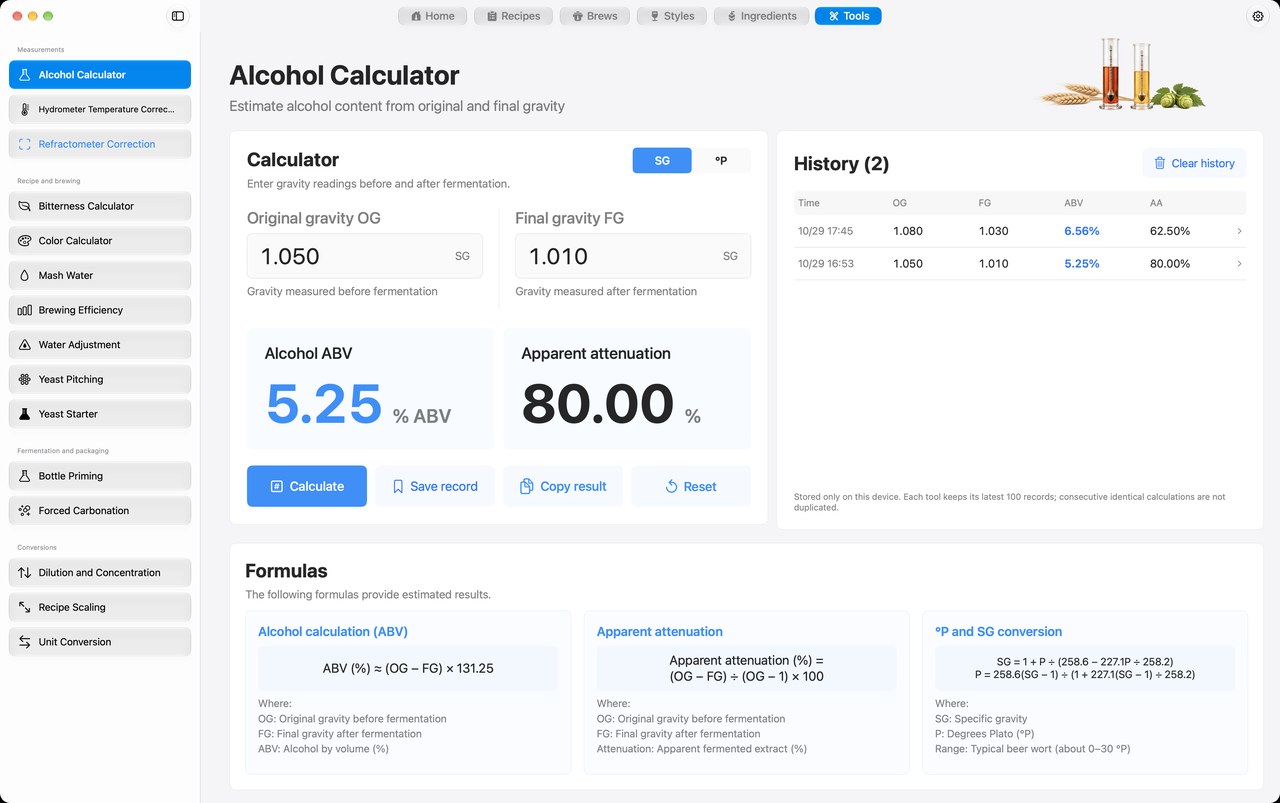
Compare your gravity before and after fermentation to estimate alcohol by volume and apparent attenuation. Mbrew keeps this calculation alongside the recipes and batch records you use on brew day.
macOS · iOS · iPadOS — Mac preview; iPhone and iPad in beta.
This page explains a tool in the Mbrew app. Perform the calculation in Mbrew; this website does not run the calculator.
App availabilityWhat you enter
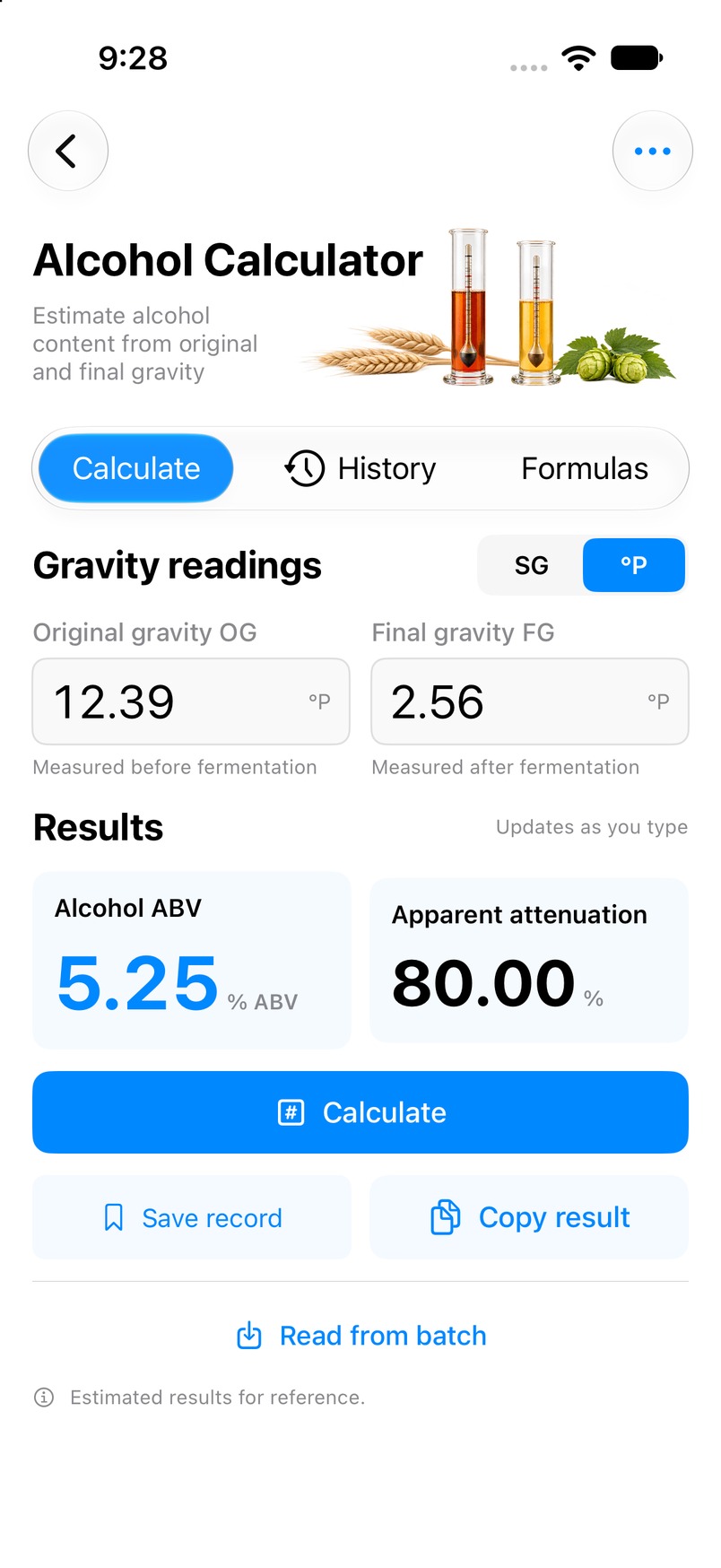
Original gravity (OG), final gravity (FG), and your selected gravity unit: specific gravity or degrees Plato.
What you get
Estimated alcohol by volume (% ABV) and apparent attenuation (%).
How to use it
- Open the Alcohol calculator from Tools in Mbrew.
- Select SG or degrees Plato and enter your original and final gravity. You can also read values from a batch.
- Review estimated ABV and apparent attenuation, then copy the result or save it to calculator history.
Interpreting the result
Use appropriately corrected gravity readings. The result is an estimate from the difference between OG and FG, rather than a laboratory alcohol measurement. An alcohol estimate does not establish that fermentation is complete.
Common questions
- Can I enter degrees Plato?
- Yes. The app supports SG and degrees Plato and converts the readings for calculation.
- What does apparent attenuation mean?
- It describes the apparent reduction in extract inferred from the gravity readings. It is shown separately from alcohol by volume.
- Can I use a batch's recorded readings?
- Yes. The Alcohol calculator has a batch picker for reading recorded gravity values; check the imported readings before relying on the result.